Skip to the website

ANNEX ORBIS

Global Logistics Simplified.

1 · The call

It starts with a call.

The shipper calls the carrier about a load from Springfield, Ohio to Austin, Texas. The call rings the right person on the carrier's team, it's logged against the caller's contact, and the load they agree on becomes a tender with a rate confirmation to sign.

  • Answer your company number in the web app, on any computerAvailable
  • Calls ring your team one person at a time, starting with whoever last spoke with the callerIn testing
  • Every call is logged, with the caller matched to their contact recordAvailable
  • Turn the agreed load and rate into a tender, with a rate confirmation to signIn testing

2 · Hours check

Enough hours to make Austin? Our ELD shows it.

Springfield, Ohio to Austin, Texas is 1,222 miles and 19 hours 11 minutes of driving for a 53-foot dry van. James starts at Larkspan's yard in Dayton, 28 miles from the shipper. While they agree the load, the route estimate plans the trip from James's hours on the truck's ELD: the breaks, two 10-hour rests, and Austin on Thursday at 8:14 AM, inside the delivery window.

  • Each driver's duty status and hours left, live from the ELD, in the carrier's officeIn testing
  • Route estimates for the truck's size and weight, with breaks and 10-hour rests planned from the driver's real hoursIn testing
  • Show the shipper or broker the driver's hours check before they tender the loadComing

3 · Verify

Verified before dispatch.

The shipper asked to verify the driver, so its load can't be offered to, accepted by or dispatched to James until it approves. His phone takes each photo the shipper asked for, live and held upright: the truck's license plate, the side of the truck with the carrier's name and its USDOT and MC numbers, then a selfie. The shipper approves, and only then is the load released.

  • Verification before a load can be offered, accepted or dispatched to an outside carrier's driverIn testing
  • The broker or shipper chooses the photos it needs and approves each oneIn testing
  • Photos are taken live in the app, never picked from the camera rollIn testing
  • The photos stamped with the time and place they were takenComing
  • Every driver signs in as themselves and joins a carrier only with its approvalAvailable

4 · Dispatch

Approved. The truck is dispatched.

With James approved, the shipper releases the load. It lands on Larkspan's dispatch board, and dispatch sends it over the cell network to James's phone to accept.

  • Dispatch assigns each load's stops to a driver's route on the dispatch boardAvailable
  • A new-load notice on the driver's phone, to accept or declineIn testing
  • Ask HAL to open the dispatch board or any load by voice or text; any change waits for your approvalAvailable

5 · On the way

The shipper watches it arrive.

From the moment the driver heads to pickup, the truck shows on a live map with its ETA, and the shipper gets on-the-way and arrived notices.

  • A dispatch board with every active load’s stops, ETAs and each driver’s duty statusAvailable
  • Each driver’s last reported position, from the driver appIn testing
  • A live tracking link and notices for the shipper, verified by a codeIn testing

6 · The door

The dock office picks the door.

Inside the warehouse, the dock office's tablet shows the load's details beside a live map of the truck coming in. One tap on dock 4, and the driver's phone shows the door to back into.

  • Trucks on their way, on the dock office's live mapIn testing
  • Yard appointments for each dock doorIn testing
  • Tap a door on the tablet and the driver is told where to back inComing
  • The load's carrier, driver, truck and appointment beside the mapComing

7 · Checked in

Checked in, backed into dock 4.

Gate check-in confirms who’s driving, and the detention clock starts from the truck’s real arrival. The driver backed in sight-side, as drivers are taught.

  • Site maps of your doors, gates, receiving office and truck pathAvailable
  • Gate check-in and the detention clockComing

8 · Before loading

Tandems back. Wheels chocked. Red line off.

Before loading starts, the driver completes the shipper’s dock procedure on their phone: slide the tandems back, chock the wheels, and disconnect the red emergency air line, with a photo for each step.

  • Dispatch chooses the proof each stop needs, from a seal number to a signed bill of ladingAvailable
  • Drivers send that proof from their phone, and dispatch approves it or asks for a redoIn testing
  • Dock procedures the shipper definesComing

9 · Loading

Loaded, with a beacon in the freight.

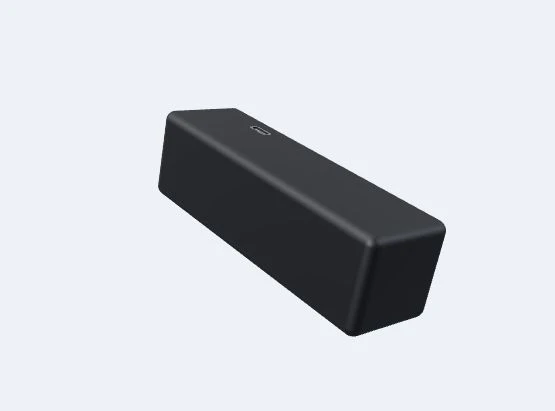
The forklift loads the pallets nose first. It's a high-value load, so the shipper adds an extra measure of precaution: a Freight Beacon, packed in with the freight and switched on.

  • A load plan for each trailer: where every pallet goes and the axle weights it makesIn testing
  • Pallets scanned onto the trailer as they're loadedComing
  • Extra requirements for high-value loads, like a seal photo, applied as one packIn testing
  • A Freight Beacon packed with high-value freightComing

10 · Paperwork

Load’s ready. BOLs at the door by dock 7.

When loading is done, the driver’s phone says where to collect the paperwork. The driver photographs the signed bills of lading, and they’re filed with the load.

  • A load-ready alert to the driverComing
  • Bill of lading photos filed with the loadIn testing
  • Bills of lading read automatically and kept with the driver’s ELD supporting documentsComing

11 · In transit

On the road, two sources of truth.

The driver's phone and the Freight Beacon both report where the load is, so the ETA stays live, and the shipper and the receiver see the same time.

  • Live position and ETA updates from the driver's phoneIn testing
  • Freight Beacon position on the same map as the truckComing
  • Shipper and receiver tracking links with the same ETAIn testing

12 · In the cab

Navigation and hours on one screen.

Thursday morning, after his second 10-hour rest, the driver follows truck turn-by-turn navigation into Austin on the cab tablet: the next maneuver across the top, his drive time left from the ELD beside the speed, and the arrival time below.

  • Turn-by-turn truck navigation on the cab tablet: the next turn, the map and the speedIn testing
  • Routes that know the truck's size, weight and hazmatIn testing
  • Our ELD's hours of service on the same tabletIn testing

13 · Off route

The driver's devices went quiet. The beacon didn't.

The truck takes a wrong exit, and the driver's phone and cab tablet both stop reporting. The Freight Beacon in the freight keeps pinging its position, so the shipper and the carrier's dispatch both still get the off-route alert. This time it's only a wrong turn, and the truck is back on route, and back online, in minutes.

  • Off-route detection from the driver's phone and cab tablet; dispatch alerts are switched on per organizationIn testing
  • The dispatch map marks a driver whose devices have stopped reportingIn testing
  • The Freight Beacon keeps reporting when the driver's devices go quiet, with its own off-route alert to the shipper and the carrierComing

14 · Delivered

In and out, on the clock.

Arrival and departure are recorded when the truck enters and leaves the receiver’s geofence, so detention is measured from real times, not memory.

  • The receiver's dock office assigns the door the same wayComing
  • Arrival detected when the truck enters the stop’s geofenceIn testing
  • In and out times on every stopIn testing
  • Detention measured from actual dwell timeComing

ANNEX ORBIS

One system for the truck, the dock and the office.

Dispatch, drivers, hours of service and the warehouse on one platform.